
Download AIMFix – Malware Removal, Portable Security, Instant Messaging Protection
Overview
AIMFix is a lightweight utility designed to address security vulnerabilities that arise from the use of instant messaging platforms. Specifically developed to combat malware threats such as trojans, worms, and spyware, AIMFix serves as a dedicated tool for users concerned about the integrity of their online communications. The application targets malicious software that may be introduced through services like Windows Live Messenger and IRC, where file transfers and chat interactions can inadvertently expose systems to infection. Its primary purpose is to provide a rapid, no-installation solution for scanning and eliminating threats without requiring user intervention or system changes.
Target users include individuals who frequently use instant messaging clients and want to maintain a secure environment during online conversations. The app is particularly useful for users who prioritize privacy and are wary of stealthy malware that operates in the background. While the developer did not provide additional technical details, the tool’s design suggests it is intended for straightforward, on-demand use rather than continuous background monitoring. Real-world use cases include post-file-transfer scans, pre-chat checks, and immediate responses to suspicious behavior during messaging sessions. In the broader app ecosystem, AIMFix fills a niche for portable, specialized security tools that complement mainstream antivirus software by focusing on messaging-specific threats.
Key Features & Functionality
- Portable and Easy to Use: AIMFix requires no installation, allowing users to run the executable directly. This feature is ideal for users who need to scan a device without modifying its configuration or leaving traces behind. It can be executed from a USB drive, desktop, or any accessible folder, making it highly convenient for on-the-go protection.
- Comprehensive Malware Detection: The tool identifies and removes multiple types of malware, including trojans, worms, and spyware. These threats are often distributed through malicious links or files shared via instant messaging platforms, and AIMFix is engineered to detect and neutralize them quickly.
- Fast and Efficient Scanning: Designed for speed, AIMFix completes scans in a matter of moments. This efficiency ensures minimal disruption to user workflows, enabling users to resume chatting or working without delay.
- Enhanced Security for Messaging: By focusing on threats originating from messaging services, AIMFix offers targeted protection where general antivirus tools may overlook specific risks. Regular use helps users maintain a secure chat environment and reduces the likelihood of data theft or unauthorized access.
For example, a user who receives a suspicious file from a contact can immediately run AIMFix to scan it before opening. Similarly, someone using IRC for collaborative work can execute the tool after a session to verify system safety. The lack of installation also makes it suitable for shared or public computers where users prefer not to leave software behind.
Interface, UX & Performance
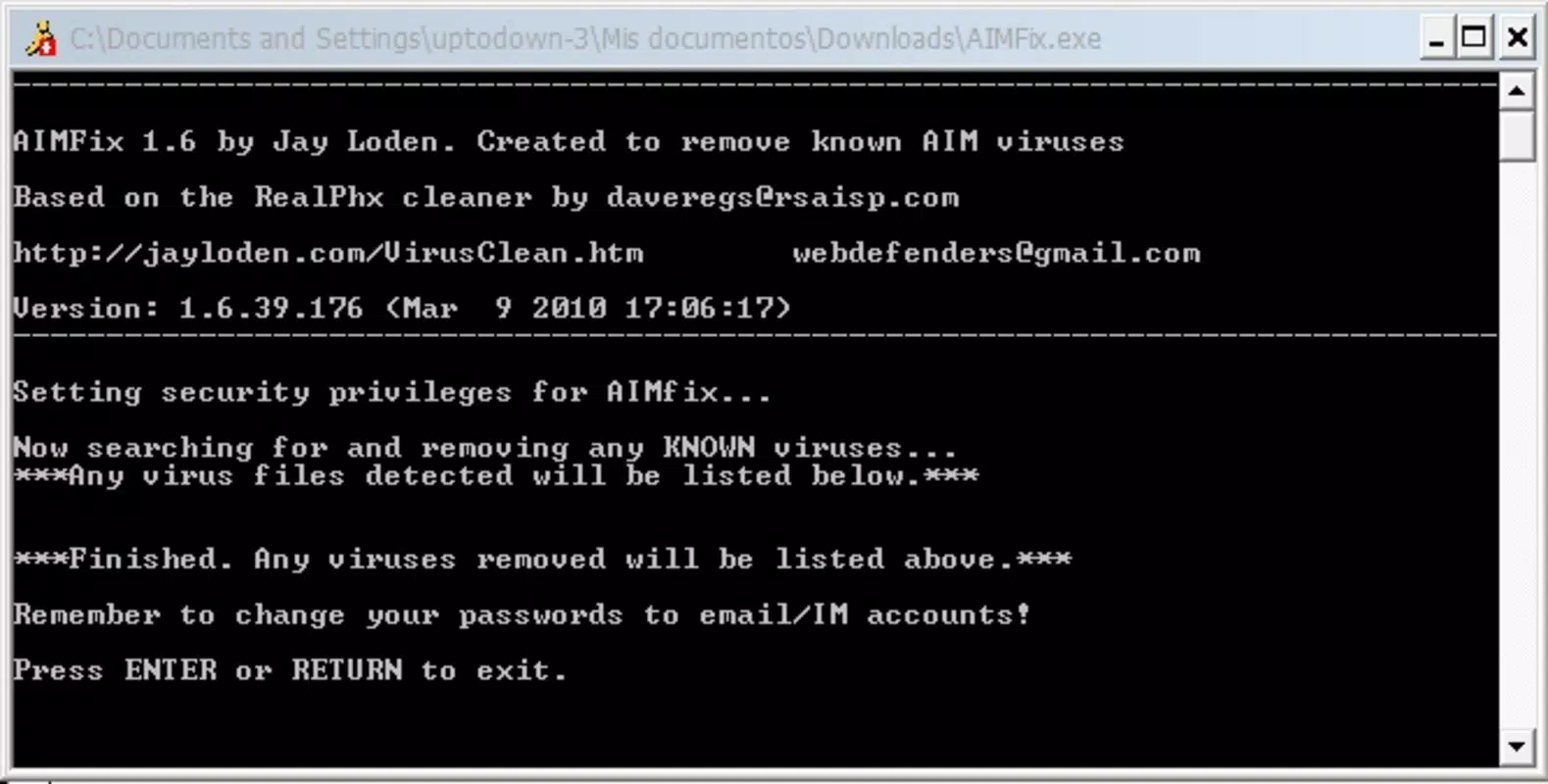
The user interface of AIMFix is minimalistic, reflecting its role as a utility rather than a full-featured application. The design prioritizes functionality over aesthetics, with a straightforward layout that likely includes a single executable file and possibly a basic status display during scanning. Navigation is intuitive—users simply run the file and follow on-screen prompts, if any. There are no complex menus or settings, which aligns with the app’s goal of simplicity and speed.
Although the developer did not list formal performance metrics, the tool’s emphasis on rapid scanning suggests optimized execution. It is likely lightweight in resource usage, making it suitable for older or low-spec devices. Responsiveness is expected to be high, given the short scan times. Stability is implied by its long-standing presence in the security space, though specific crash reports or reliability data were not provided. The lack of installation also reduces the risk of conflicts with other software, contributing to consistent behavior across different environments.
Platform Compatibility & Technical Requirements
AIMFix is designed for use on Windows operating systems. The specific version and minimum OS requirements were not listed by the developer. The file size is reported as 1.1 MB, indicating a compact footprint that supports quick downloads and minimal storage usage. Compatibility information was not fully disclosed, so users should exercise caution when running the tool on newer or non-Windows platforms. The developer did not specify whether the application supports 32-bit or 64-bit systems, nor were any additional dependencies mentioned.
Given its portable nature, AIMFix does not rely on system-wide installations, which may improve cross-platform adaptability within the Windows ecosystem. However, without official confirmation, users should verify compatibility with their specific system configuration before use.
Pros and Cons
Pros
- Portable design allows immediate use without installation.
- Lightweight file size (1.1 MB) ensures fast downloads and minimal storage use.
- Fast scanning process enables quick threat detection and removal.
- Specifically targets malware originating from instant messaging platforms.
- Simple interface reduces learning curve for non-technical users.
Cons
- Developer did not provide detailed technical specifications or compatibility requirements.
- Platform availability beyond Windows was not confirmed.
- Limited functionality compared to full antivirus suites.
- No visible update history or versioning details beyond the release date.
- Security verification details (e.g., digital signatures) were not disclosed.
FAQ
Is AIMFix safe to use?
Yes, AIMFix is designed as a security utility to detect and remove malware. However, users should ensure the source of the executable is trustworthy, as third-party versions may be altered or infected.
Can I run AIMFix on macOS or Linux?
The developer did not specify support for operating systems beyond Windows. While some users may attempt to run it on other platforms, compatibility is not guaranteed.
Does AIMFix require an internet connection?
Based on its functionality, AIMFix likely operates offline. However, the developer did not provide explicit details about connectivity requirements.
How often should I use AIMFix?
It is recommended to run AIMFix after receiving suspicious files via instant messaging or when noticing unusual system behavior. Regular use is not required but can be beneficial for high-risk users.
Is AIMFix free to download and use?
Yes, AIMFix is available for free. The developer did not list any pricing or subscription models.
Final Thoughts
AIMFix stands out as a focused, no-frills security tool tailored to a specific threat vector: malware introduced through instant messaging. Its portability, speed, and targeted approach make it a valuable addition to a user’s digital hygiene toolkit. While it does not replace comprehensive antivirus software, it fills a critical gap by addressing messaging-specific risks that may be overlooked by broader solutions. The app is best suited for users who value simplicity, control, and immediate protection without the overhead of installation or system changes.
For individuals who frequently chat online and share files, AIMFix offers peace of mind with minimal effort. Its lightweight design and quick execution ensure it can be used on-demand without disrupting workflows. Despite the lack of detailed technical disclosures, its enduring presence since 2010 suggests reliability and consistent performance.
Download AIMFix now


